TV apps & platform integrations / KMA-Chromecast
A home screen for the way I use my TV.
I wanted an ad-free home screen that put my most-used apps a few remote clicks away. I also wanted a dashboard I could glance at from the couch to see what was on my calendar, which reminders needed attention, and what the weather was doing.
I had to figure out where each part should run. I kept the launcher and dashboard as separate Google TV apps, put calendar and reminder collection on the Mac that already had access to them, and built a shared hub in between. That gave the TV a single place to read data and let the Mac collect on its own schedule.
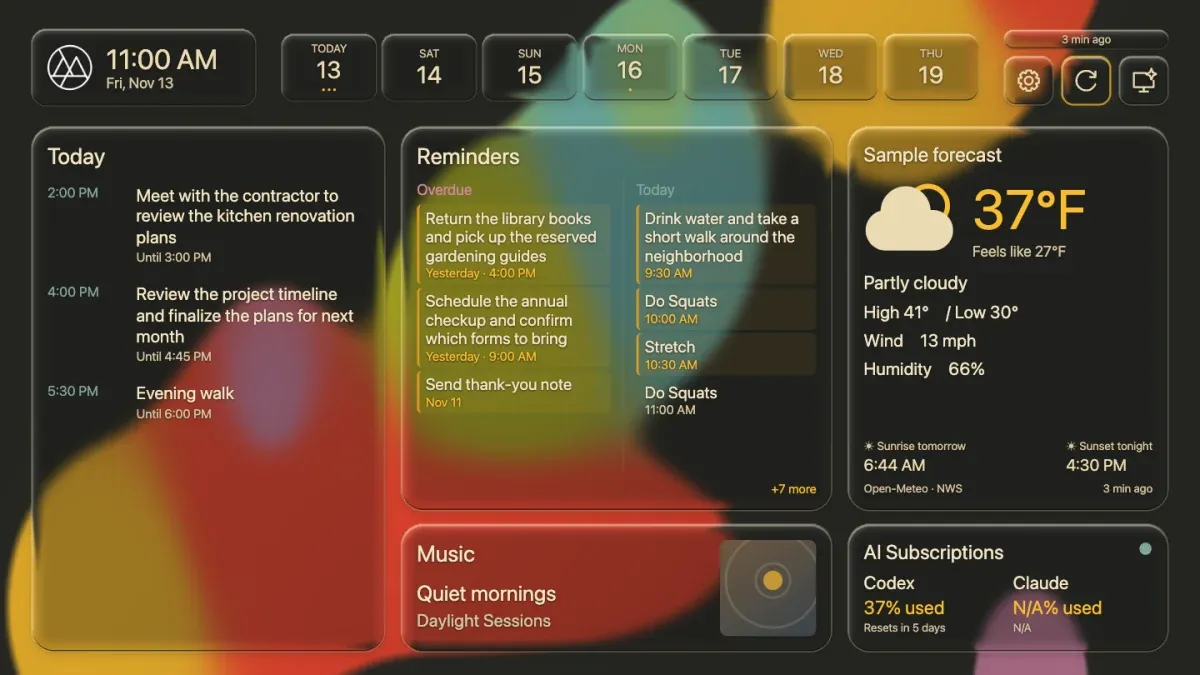
I designed the launcher around a dock with a clear focus target for the D-pad. For the dashboard, I adapted Week Canvas into a seven-day strip with cards for today’s agenda, reminders, weather, and music. I compared HTML mockups to settle the layout, then used glass panels and selective highlights to give the information I needed next the most weight.
KMA Home launcher
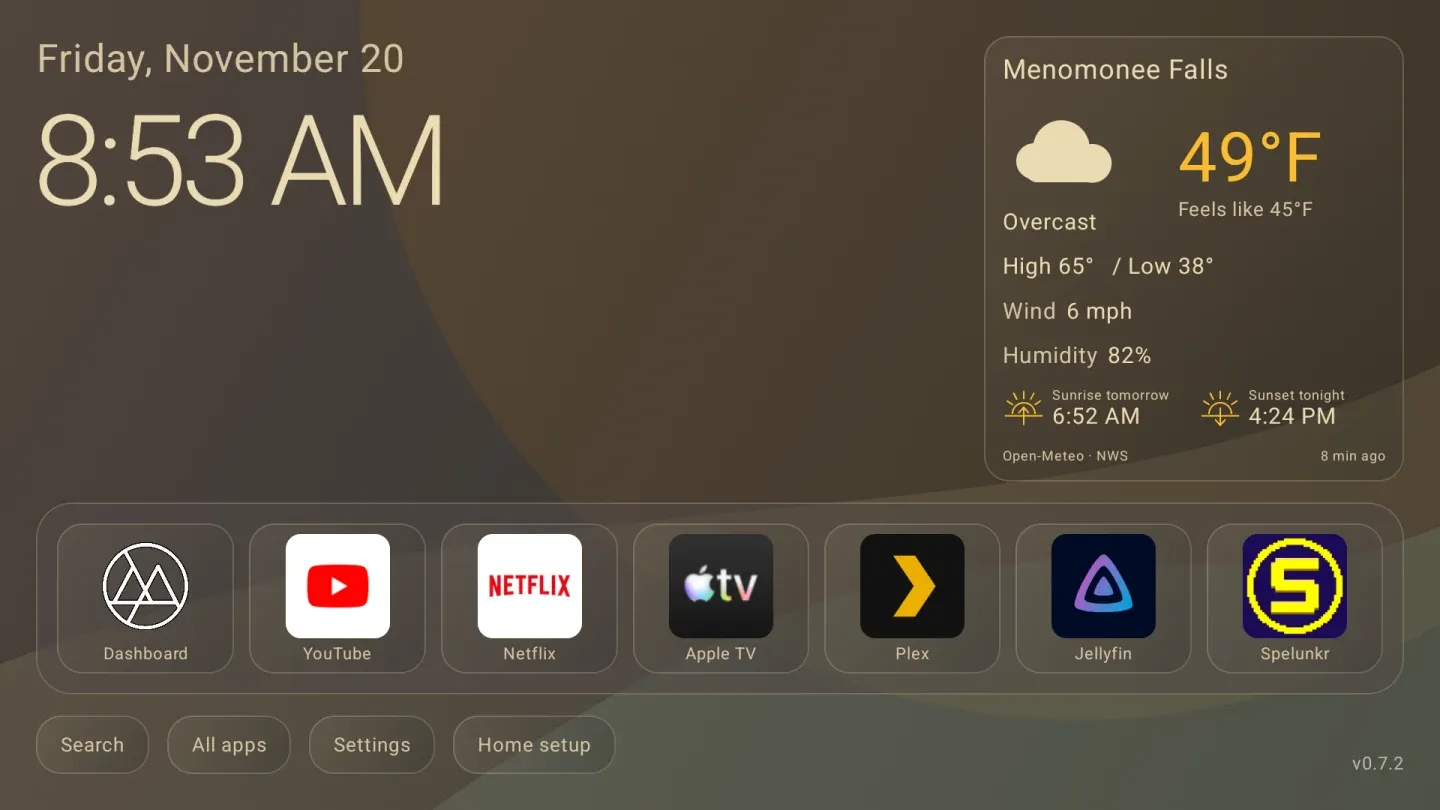
KMA Home is a Kotlin and Compose for TV app with an app dock, installed-app search, a clock, and weather. Dashboard is the first dock tile and the initial focus target. When I close Search, Weather, or All Apps, focus returns to the control I opened. The launcher has its own hub connection and shares its weather client code with KMA Dashboard.
KMA Dashboard
KMA Dashboard opens independently and lays out my week at TV scale. It highlights in-progress events and overdue reminders, wraps titles into whole rows, and shows how old the underlying observations are. The dashboard reads calendar, reminders, weather, and Codex subscription usage from the hub. Where source actions are enabled, I can request a new observation or ask the Mac to complete a specific reminder.
Dashboard Data Hub
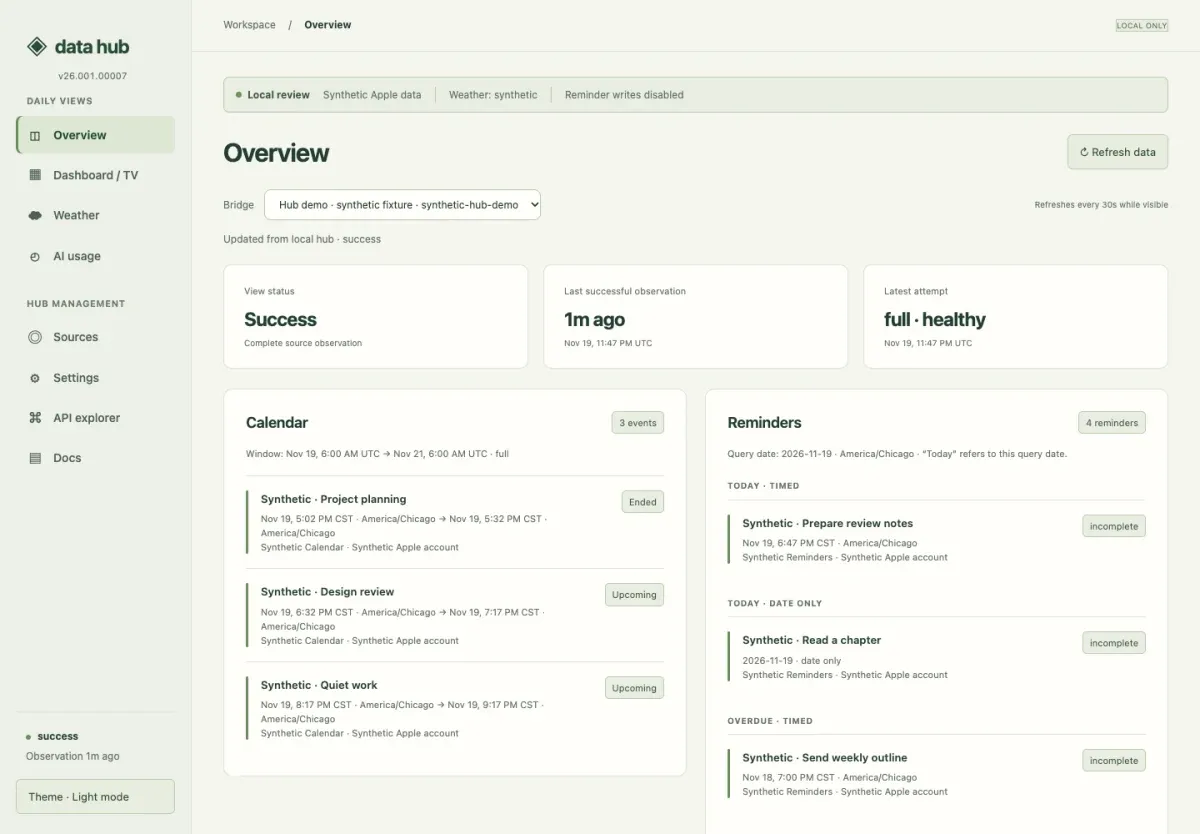
This private FastAPI service uses Pydantic to validate versioned snapshots and SQLite to commit each snapshot together with its revision. It serves cached views to the TV and its own web dashboard. A partial or failed observation leaves the last complete snapshot and its original age intact. The hub also collects forecasts and alerts by location and queues enabled reminder actions for Apple Bridge to pick up.
Apple Bridge
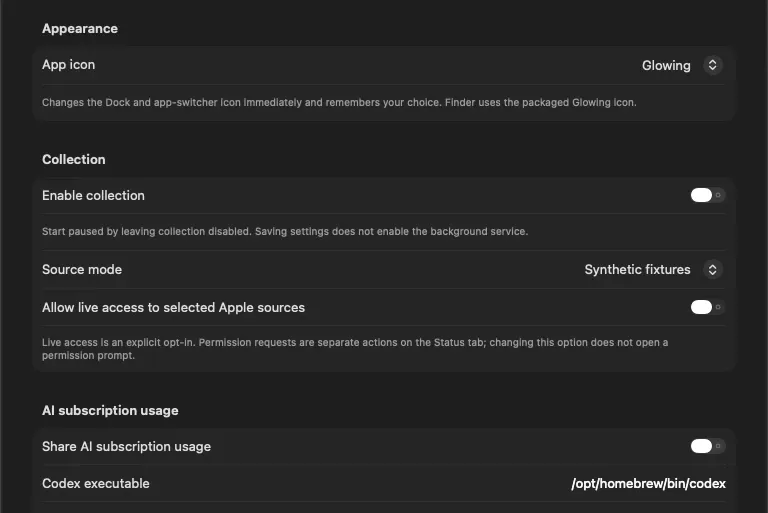
The Swift settings app lets me select calendars and reminder lists and check the worker’s permissions and health. An independent macOS worker reads those sources through EventKit and retries pending deliveries until the hub acknowledges them. It collects Codex quota separately. For an enabled reminder completion, the worker checks the exact item against the accepted snapshot, makes the change, and reads it back before reporting success.
AirPlay and the Music card
Music takes a local path. The receiver runs on the TV and provides track metadata, cover art, and playback position for the Music card. I adapted ScreenDock to keep the first cover across different callback orders and use incoming audio timestamps to keep progress moving between position updates.